HPE OfficeConnect OC20 Wireless Access Point Series: технические характеристики и документация
В архивеOverview
|
HPE OfficeConnect OC20 802.11ac Series Access Points |
|
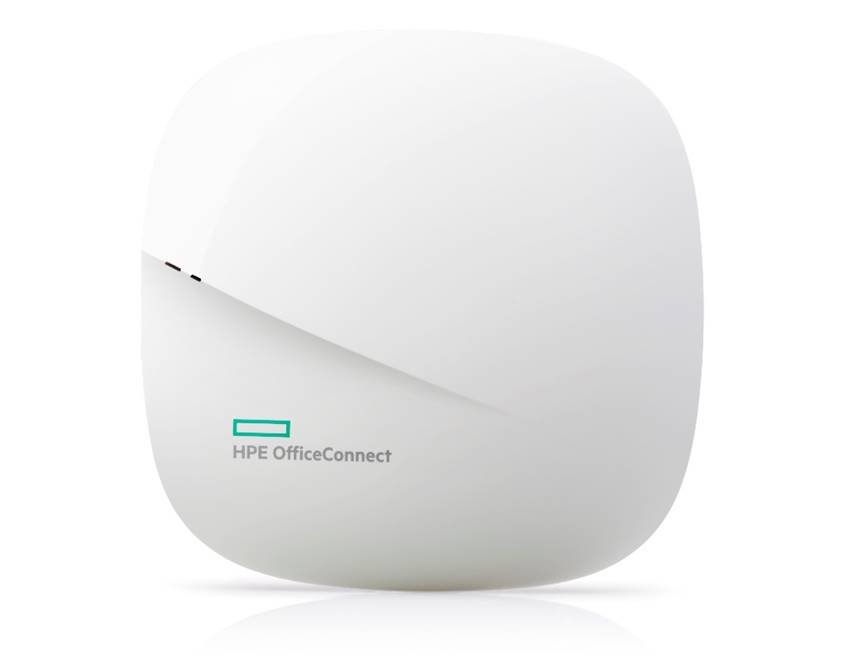
HPE OfficeConnect OC20 802.11ac Series Access Points (AP) offer small businesses an intuitive and cost-effective wireless solution that is easy to set-up and manage without technical expertise. By using the OfficeConnect iOS or Android mobile application customers can get their Wi-Fi network up and running within minutes and monitor the network remotely, no matter where they might be. The OC20 APs deliver aggregate speeds up to 1.3Gbps and reliable connectivity to handle today's business critical voice, video and cloud applications. The OfficeConnect Smart Air software intelligently optimizes wireless coverage and performance, mitigates interference and automatically connects users to the best AP for a great end-user experience. Customers can scale and centrally manage up to eight APs using clustering making ongoing network changes and maintenance a snap. To support highly secure visitor and guest access the OC20 APs offer a captive portal for guest with multiple authentication options including Facebook Wi-Fi social log-ins and the ability to schedule access based on specific days and times of day. The HPE OfficeConnect OC20 wireless APs come with integrated application filtering that provides comprehensive protection against online threats and blocks inappropriate content. They also safeguard sensitive business information using Wi-Fi Protected Access 2 (WPA2) and advanced encryption. The product includes a 3-year Warranty with 24x7 phone support for 90 days. |
|
|
|
|
|
HPE OfficeConnect OC20 802.11ac Series Access Points |
|
|
|
Models | |
|
HPE OfficeConnect OC20 2x2 Dual Radio 802.11ac (US) Access Point |
JZ073A |
|
HPE OfficeConnect OC20 2x2 Dual Radio 802.11ac (RW) Access Point |
JZ074A |
|
| |
|
Key features | |
| |
|
| |
Standard Features
|
Features and benefits |
|
|
|
Dual Radio 802.11ac Access Point Supports up to 867 Mbps in the 5GHz band (with 2SS/VHT80 clients) and up to 400 Mbps in the 2.4GHz band (with 2SS/VHT40 clients). |
|
|
|
Smart Air for RF Management Smart Air software automatically assigns channel and power settings, provides airtime fairness (boosts overall network performance by allowing faster clients to move quicker on the network) and ensures that APs stay clear of RF interference to deliver a reliable, high-bandwidth wireless network |
|
|
|
Security Application filtering identifies, classifies, and blocks access to applications and web content to provide comprehensive protection against advanced online threats. WPA2 with advanced encryption keeps your network traffic secure and protects sensitive business information. |
|
|
|
Management The OfficeConnect iOS or Android mobile applications allows you to set-up an employee and guest network in easy steps. New APs added to the network automatically get their configuration from the first AP without manual configuration; create a network of up to eight APs and manage from the OfficeConnect mobile application. Remotely monitor the network with a quick health dashboard that provides visibility into the status of the access points, their signal strength, connected users and web applications. |
|
|
|
Warranty 3-year Warranty This series comes with a 3-year Warranty providing advance hardware replacement with next business day shipment in most countries, 24x7 phone support available for the first 90 days, and online chat support for the entire warranty period. See hpe.com/networking/warrantysummary for full warranty and support information included with your product purchase. |
|
|
|
Mounting The AP ships with two (white) mounting clips to attach to a 9/16-inch or 15/16-inch flat T-bar drop-tile ceiling. Several optional mount kits are available to attach the AP to a variety of surfaces; see the Ordering Information section above for detail. |
|
|
Configuration Information
|
Build To Order: BTO is a standalone unit with no integration. BTO products ship standalone are not part of a CTO or Rack-Shippable solution. | ||
|
Remarks |
Description |
SKU |
|
|
HPE OfficeConnect OC20 2x2 Dual Radio 802.11ac (US) Access Point |
JZ073A |
|
|
HPE OfficeConnect OC20 2x2 Dual Radio 802.11ac (RW) Access Point |
JZ074A |
|
|
HPE OfficeConnect OC20 2x2 Dual Radio 802.11ac (JP) Access Point |
JZ110A |
|
|
HPE OfficeConnect OC20 2x2 Dual Radio 802.11ac (IL) Access Point |
JZ111A |
|
|
HPE OfficeConnect OC20 2x2 Dual Radio 802.11ac (EG) Access Point |
JZ112A |
|
| ||
|
Power Options |
| |
|
|
Std (Min 0 // max 1) User Selection (min 0 // max 1) per AP |
|
|
|
Aruba PD-9001GR-AC 30W 802.3at PoE+ 10/100/1000 Ethernet Indoor Rated Midspan Injector |
JW629A |
|
|
Aruba PD-3510G-AC 15.4W 802.3af PoE 10/100/1000Base-T Ethernet Midspan Injector |
JW627A |
|
|
AP-AC-12V30B 12V/30W AC/DC Desktop Style 2.1/5.5/9.5mm Circular 90 Deg Plug DoE Level VI Adapter |
JX990A |
|
|
AP-AC2-12B 12V/36W AC/DC desktop style power adapter with type B connector |
R3K00A
|
|
NOTE: |
If this Power Supply is selected, bring in (Min 1 // Max 1) Localized power cord based on the Aruba Localization Menu. The AP device is usually PoE powered from the switch, therefore, these Power Adapter are optional. |
|
|
| ||
|
Accessories |
| |
|
|
AP Mount Kits |
|
|
Remarks |
Description |
SKU |
|
|
Std (Min 0 // max 99) User Selection (min 0 // max 99) |
|
|
|
AP-220-MNT-C2 2x Ceiling Grid Rail Adapter for Interlude and Silhouette Mt Kit |
JW045A |
|
|
AP-220-MNT-W1 Flat Surface Wall/Ceiling Black AP Basic Flat Surface Mount Kit |
JW046A |
|
|
AP-220-MNT-W1W Flat Surface Wall/Ceiling White AP Basic Flat Surface Mount Kit |
JW047A |
|
|
AP-200-MNT-W3 White Low Profile Box Style Secure Small Indoor AP Flat Surface Mount Kit |
JY705A |
|
|
AP-MNT-CM1 Industrial Grade Indoor Access Point Metal Suspended Ceiling Rail Mount Kit |
JX961A |
|
NOTE: |
OC220 AP Unit ships with basic suspended ceiling rail clips (JW044A) |
|
|
|
Accessories |
|
|
|
Std (Min 0 // max 99) User Selection (min 0 // max 99) |
|
|
|
AP-CBL-ETH10 10-pk Short Ethernet Cable |
JW072A |
|
| ||
Technical Specifications
|
I/O ports and slots
- Auto-sensing link speed and MDI/MDX - 802.3az Energy Efficient Ethernet (EEE)
|
|
|
|
Wi-Fi Radio Specifications
- 2.400 to 2.4835GHz - 5.150 to 5.250GHz - 5.250 to 5.350GHz - 5.470 to 5.725GHz - 5.725 to 5.850GHz
- 802.11b: 1, 2, 5.5, 11 - 802.11a/g: 6, 9, 12, 18, 24, 36, 48, 54 - 802.11n: 6.5 to 300 (MCS0 to MCS15) - 802.11ac: 6.5 to 867 (MCS0 to MCS9, NSS = 1 to 2 for VHT20/40/80 |
|
|
|
Wi-Fi Antennas Two integrated dual-band downtilt omni-directional antennas for 2x2 MIMO with maximum antenna gain of 3.4dBi in 2.4GHz and 6.6dBi in 5GHz. |
|
|
|
Physical characteristics
5.9 x 5.9 x 1.6 in (5.9 x 5.9 x 1.6 in)
0.8 lbs (380 g) |
|
|
|
Power sources and consumption The AP supports direct DC power and Power over Ethernet (PoE)
|
|
|
|
Environment
0° C to +50° C (+32° F to +122° F)
5% to 95% non-condensing
-40° C to +70° C (-40° F to +158° F) |
|
|
|
Regulatory
|
|
|
|
Certifications
|
|
|
|
Warranty
|
|
|
Summary of Changes
|
Date |
Version History |
Action |
Description of Change: |
|
04-Nov-2019 |
Version 3 |
Changed |
Configuration Information section was updated. New SKUs were added. |
|
04-Sep-2017 |
Version 2 |
Changed |
Configuration section was updated |
|
03-Jul-2017 |
Version 1 |
New |
New QuickSpecs |
| ||||||||||||||||||